View Your Tribal ID Number
Find your Tribal ID Number (TIN) in your account.
What is a TIN? Your Tribal ID Number is a unique number assigned to you as a tribal member. It looks like RMIN-0001. You may need it for official documents.
1
Go to Your Dashboard
After logging in, your dashboard shows your Tribal ID Number.
Look at the profile card on the left side.
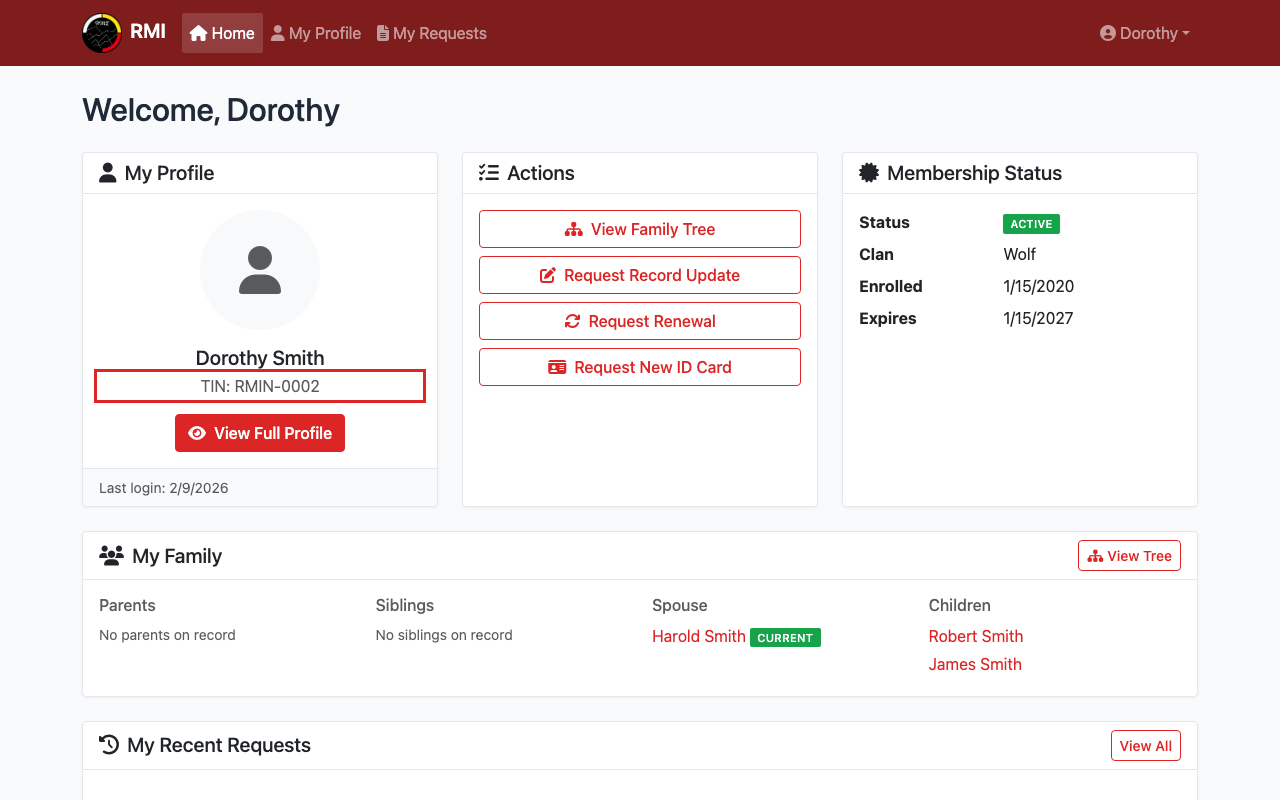
Your TIN is shown on the dashboard profile card.
2
Or View Your Full Profile
Click View Full Profile on your dashboard.
Your TIN is also shown on your profile page.
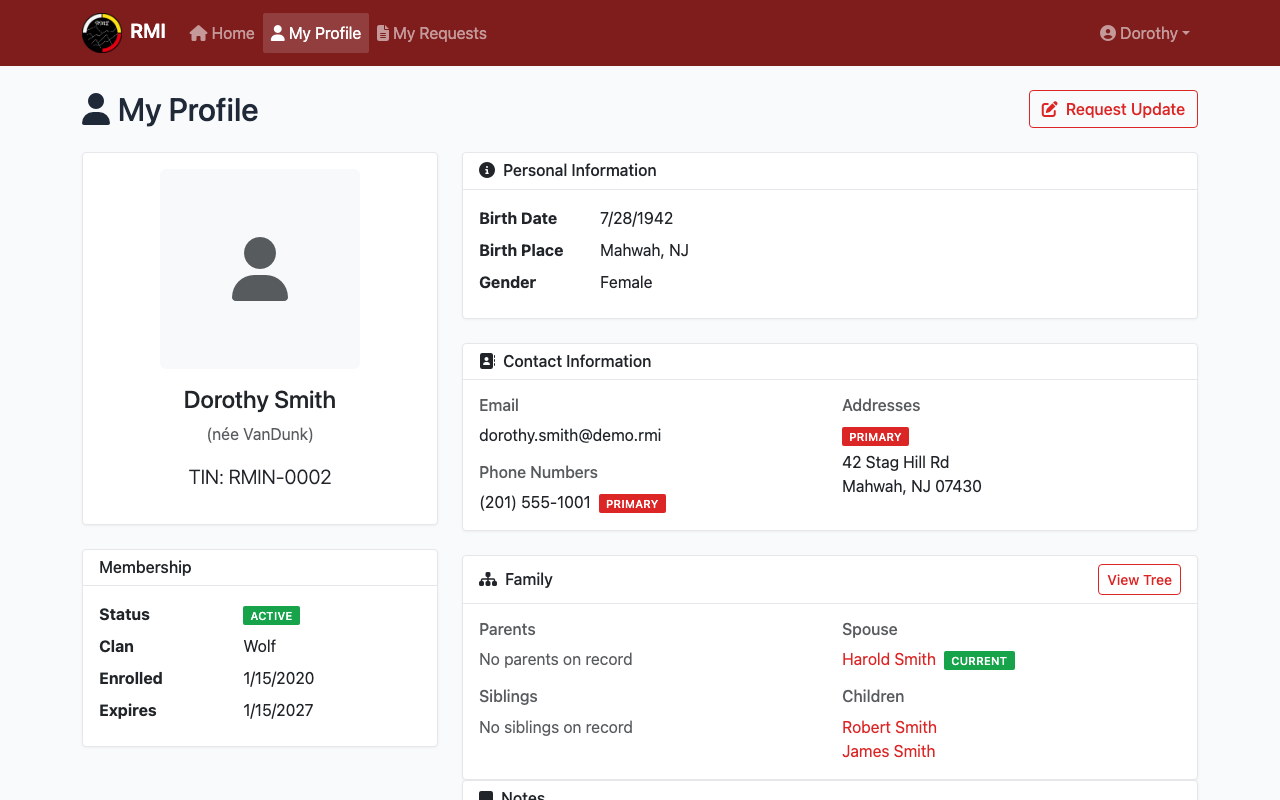
Your TIN is shown below your name on your profile.
3
Your Tribal ID Number
Your TIN is shown as TIN: followed by your number.
You can write it down or take a screenshot.
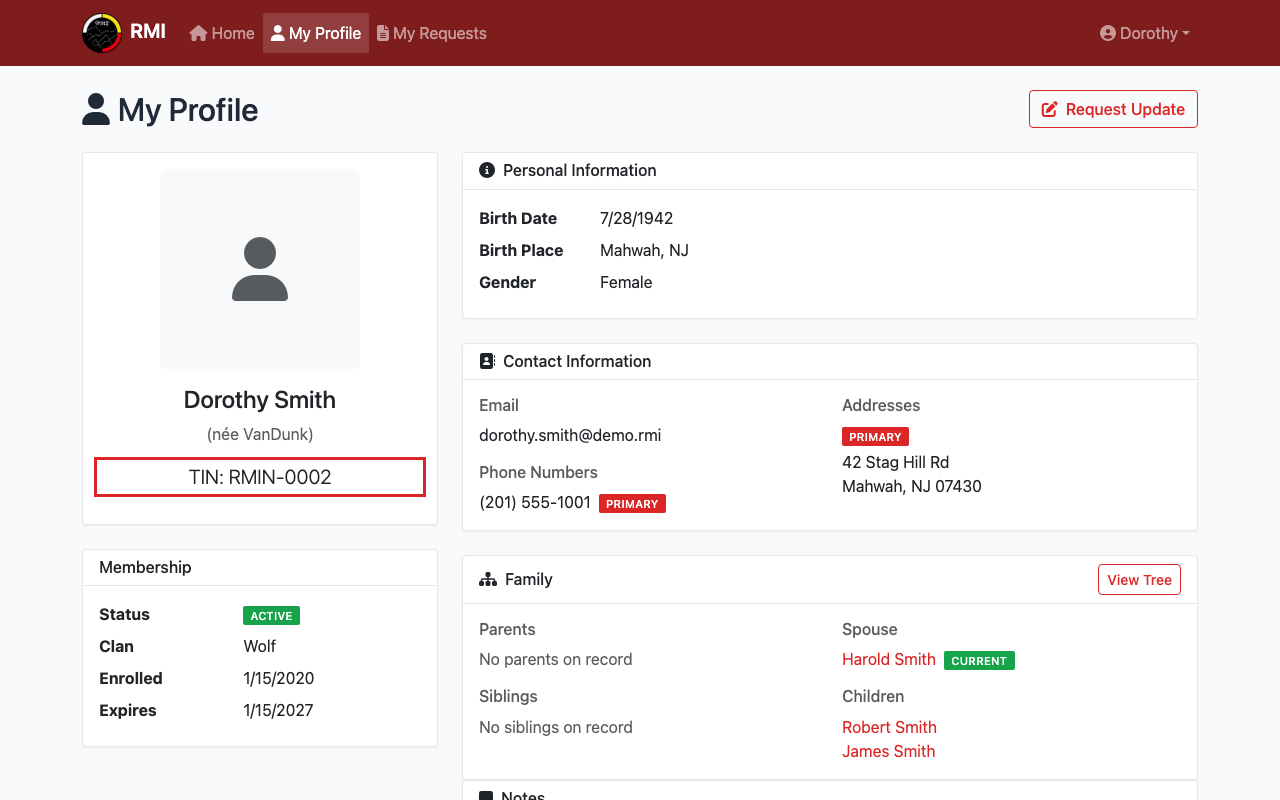
Your Tribal ID Number.
What's Next?
- View your full profile to see all your details.
- Request a new ID card if you need a physical card.