Request a New ID Card
Request a new or replacement tribal ID card.
1
Click "Request New ID Card"
On your dashboard, click Request New ID Card in the Actions card.
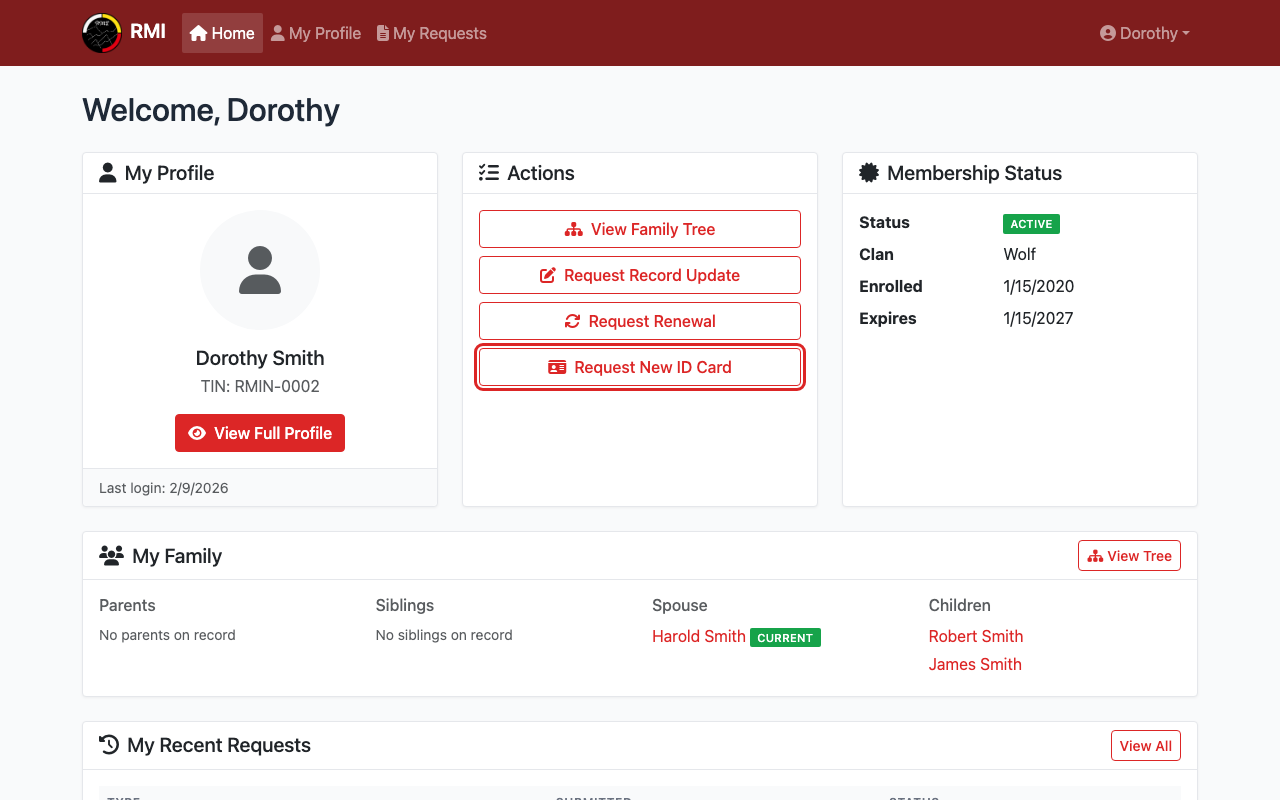
Click Request New ID Card on your dashboard.
2
Select a Reason
Choose why you need a new card.
Options: Lost, Stolen, Damaged, or First Card.
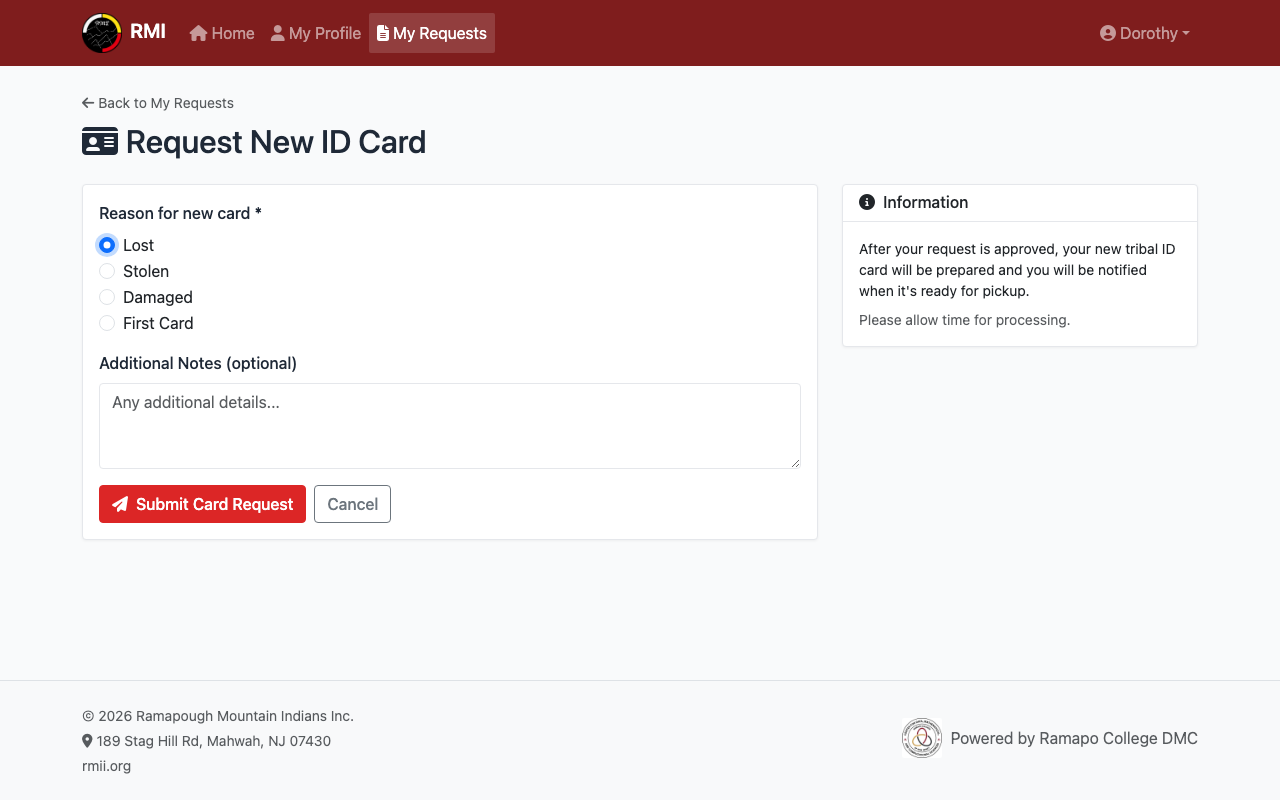
Select the reason for your new card.
3
Submit Your Request
Add any notes if needed (this is optional).
Click the Submit Card Request button.
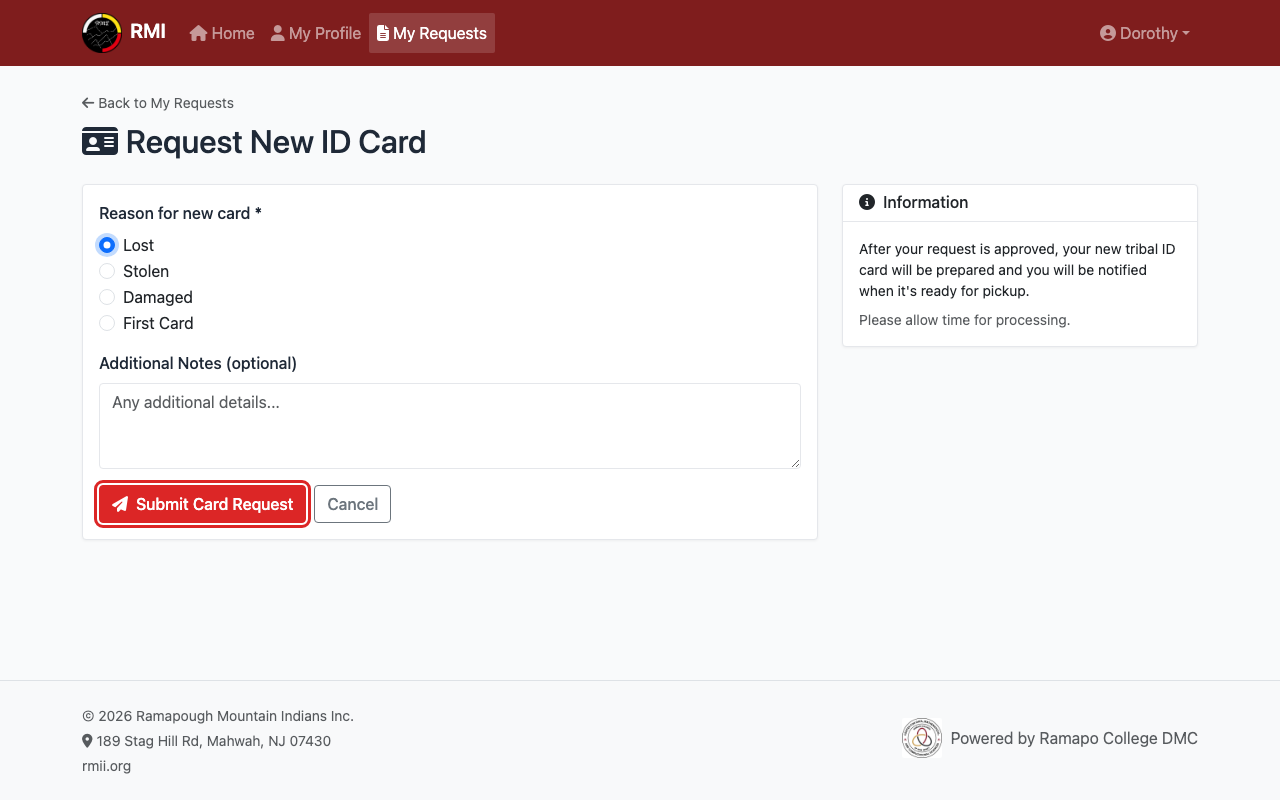
Click Submit Card Request.
4
Wait for Your Card
Your request will show as Pending.
After approval, your card will be prepared.
You will be notified when it is ready.
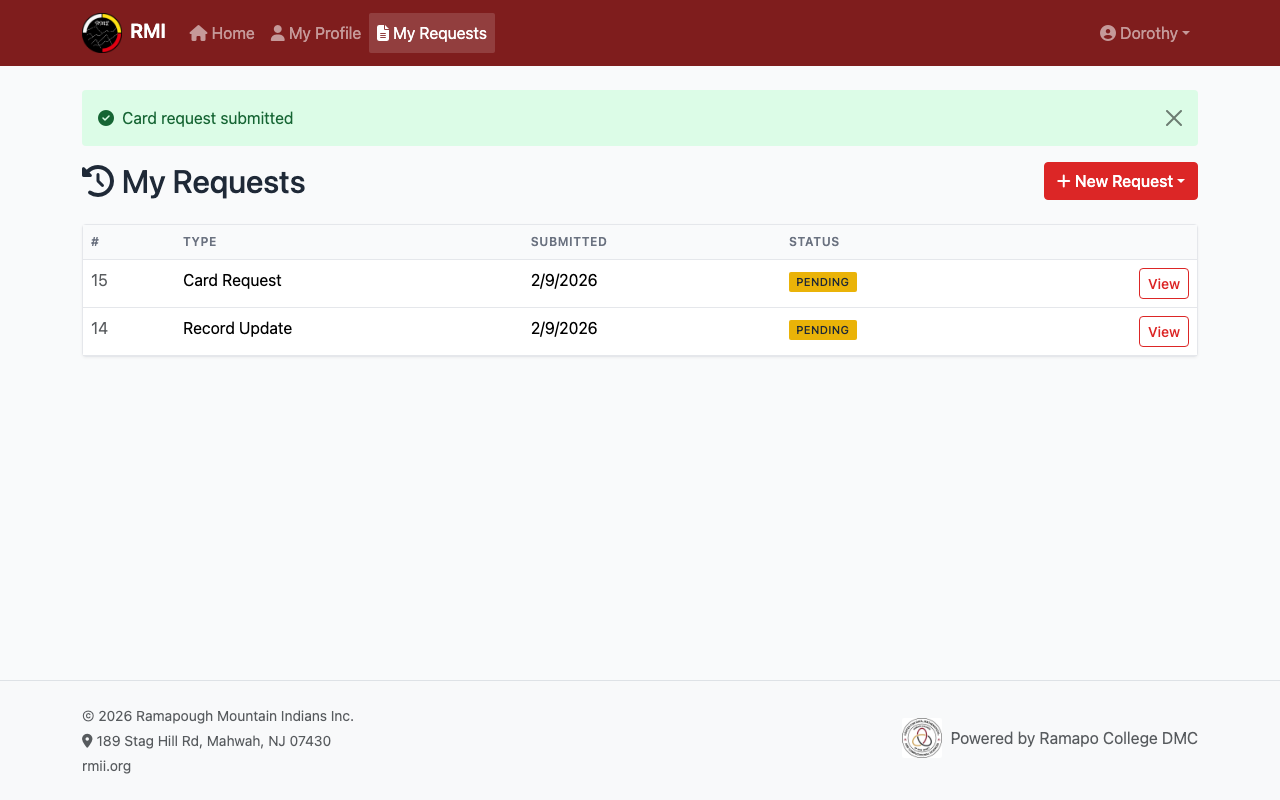
Your card request is pending review.
What's Next?
- View your Tribal ID Number while you wait for your card.
- View your profile to make sure your details are correct.